If you have a Runtipi server and want to expose certain apps to the internet, the suggested way to do this (rather than opening ports directly) is to use Cloudflare's tunnels. The website to explain to do this is slightly confusing. I'm sharing how I achieve this.
Aim:
I have a Runtipi server hosted on my local network with an app (Plex) I want to expose on the internet.
Step 1: Create a cloudflare account, link a domain etc
Step 2: Install the cloudflared app from the Runtipi app store
Step 3: Open the cloudflare home page ("Account Home" from the left hand menu)
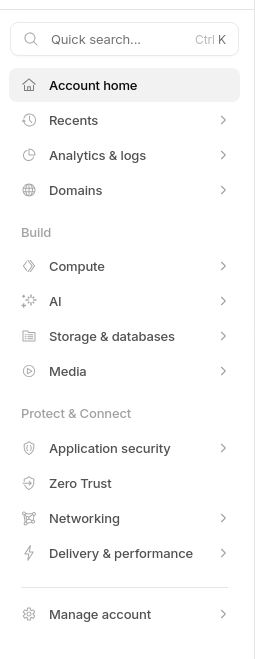
Step 4: Click on Zero Trust (or search for Zero Trust)
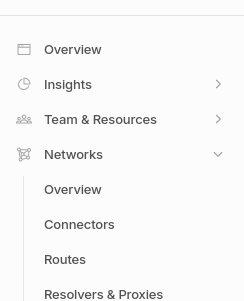
Step 5: Choose Networks -> Connectors from the new left hand menu
Step 6: Choose "cloudflared"
Step 7: Give the tunnel a name (this is of no consequence)
Step 8: Choose your distro/any linux then copy the command which includes the API key into your Runtipi cloudflared webpage once it has started
Step 9: To add a route, go back to the Connectors page (see step 5) and click on your tunnel
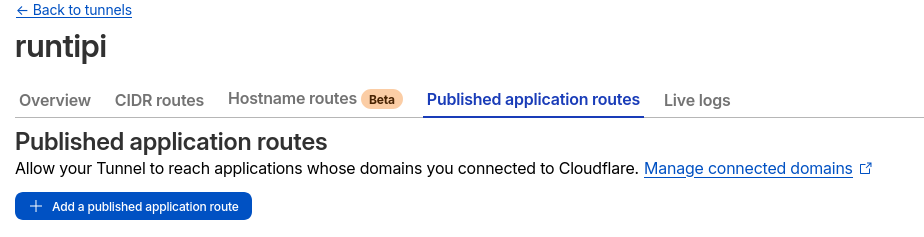
Step 10: Select "Published application routes"
Step 11: Add a published application route
Step 12: Assuming you want to expose the app called "Plex" I would fill it out like this
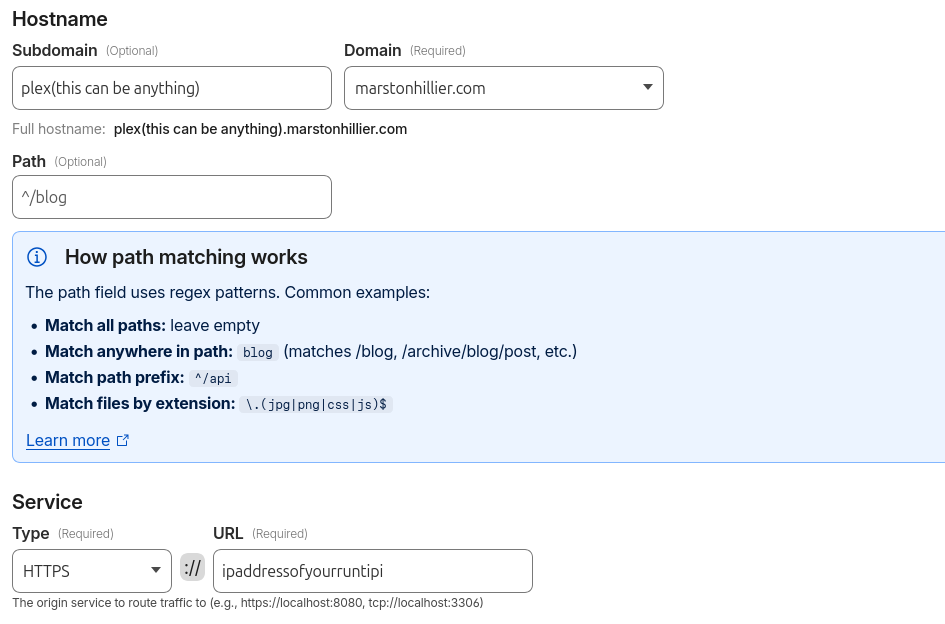
Things that tripped me up here - HTTPS in the service "type" is fine even if you haven't done anything to the server itself, Runtipi just deals with it
Port is not needed for the ip address of the runtipi - the only time this has mattered was when I was using vaultwarden and had to manually put 443 because vaultwarden was very picky about SSL certificates. Oh, and tandoor also wanted the custom port with just http as it didn't like something with the SSL certificates. Otherwise no issues.
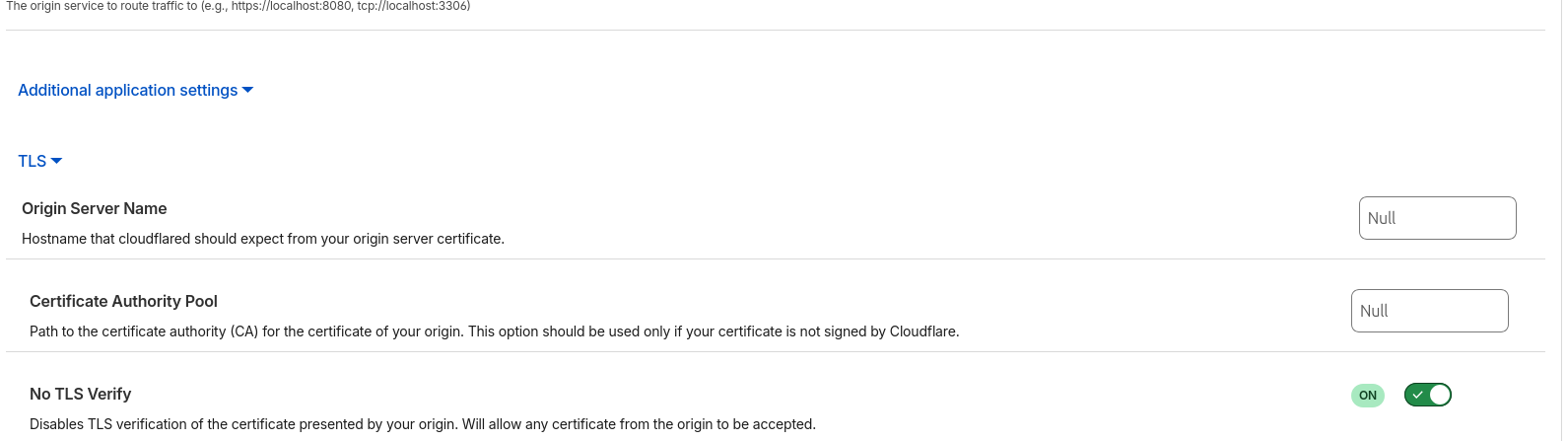
Step 13: You must always select No TLS verify otherwise you'll get SSL errors
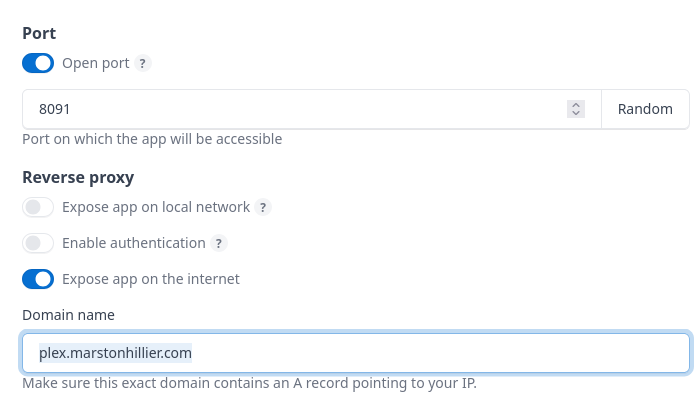
Step 15: In the runtipi app settings you need to tick "expose app to internet" and fill in the full hostname that you entered in step 12
Step 14: If you want a new app exposed to the internet e.g. jellyfin, repeat from step 9
Information accurate as of March 2026